
How-To Details for Using DoView Boards
See. Plan. Do.
There are multiple ways of learning how to use a DoView Board.
1. The place to start is to look at this DoView Board Walkthrough. You can also access it at any time from within a DoView Board by just clicking on Walkthrough in the top menu of a board.
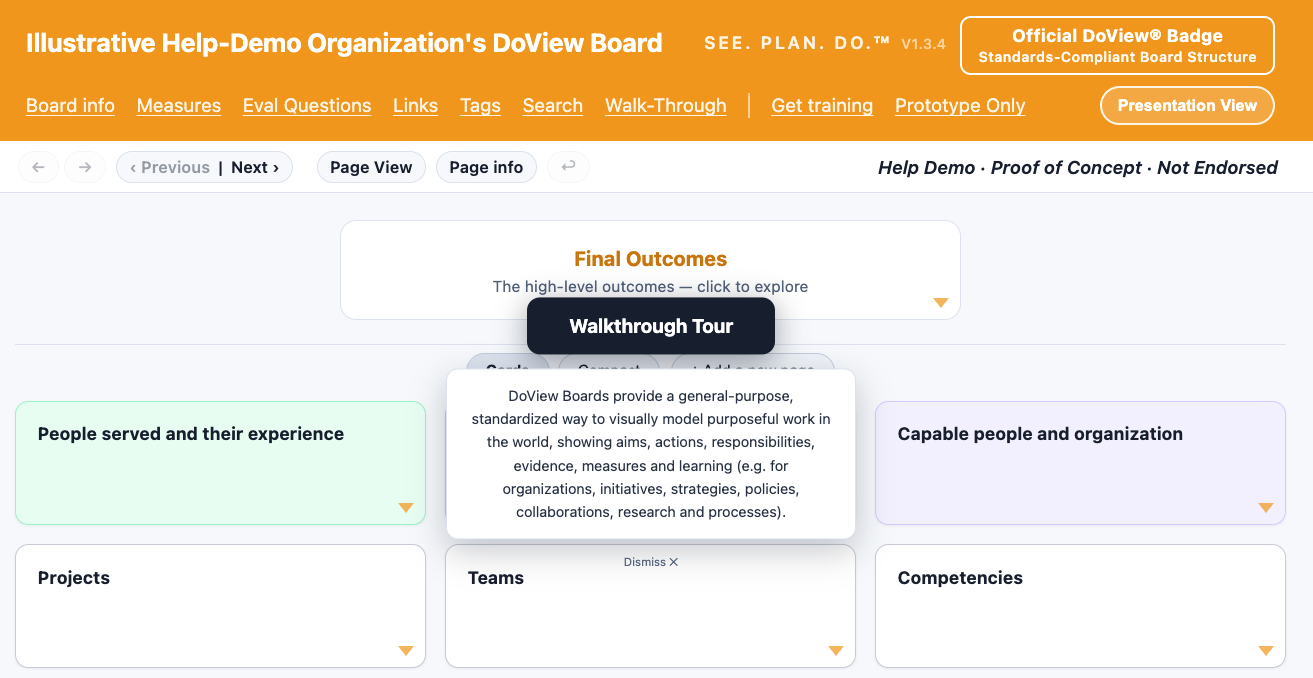
2. At any time you can just ask your AI system:
Look at https://doviewboards.org/help and tell me how to . . .
3. Look at the help videos and screenshots below.
Overview of DoView Boards With Screen Shots
Visualizing and Working With Strategy in a DoView Board
Longer video on how you can use DoView Boards to answer the 20 key questions any organization or initiative needs to answer. See also the page with static screenshots on answering the 20 questions.
Ensuring You Alignment of Your Projects/Activities With Your Priority Outcomes
What are DoView Boards?

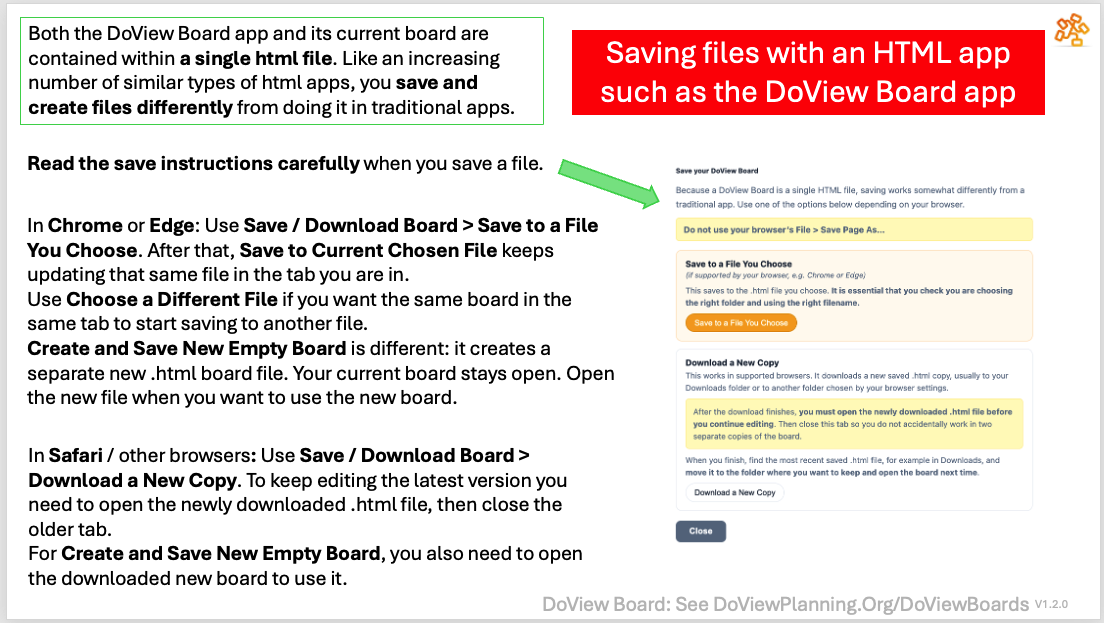
Important: How you save a DoView Board
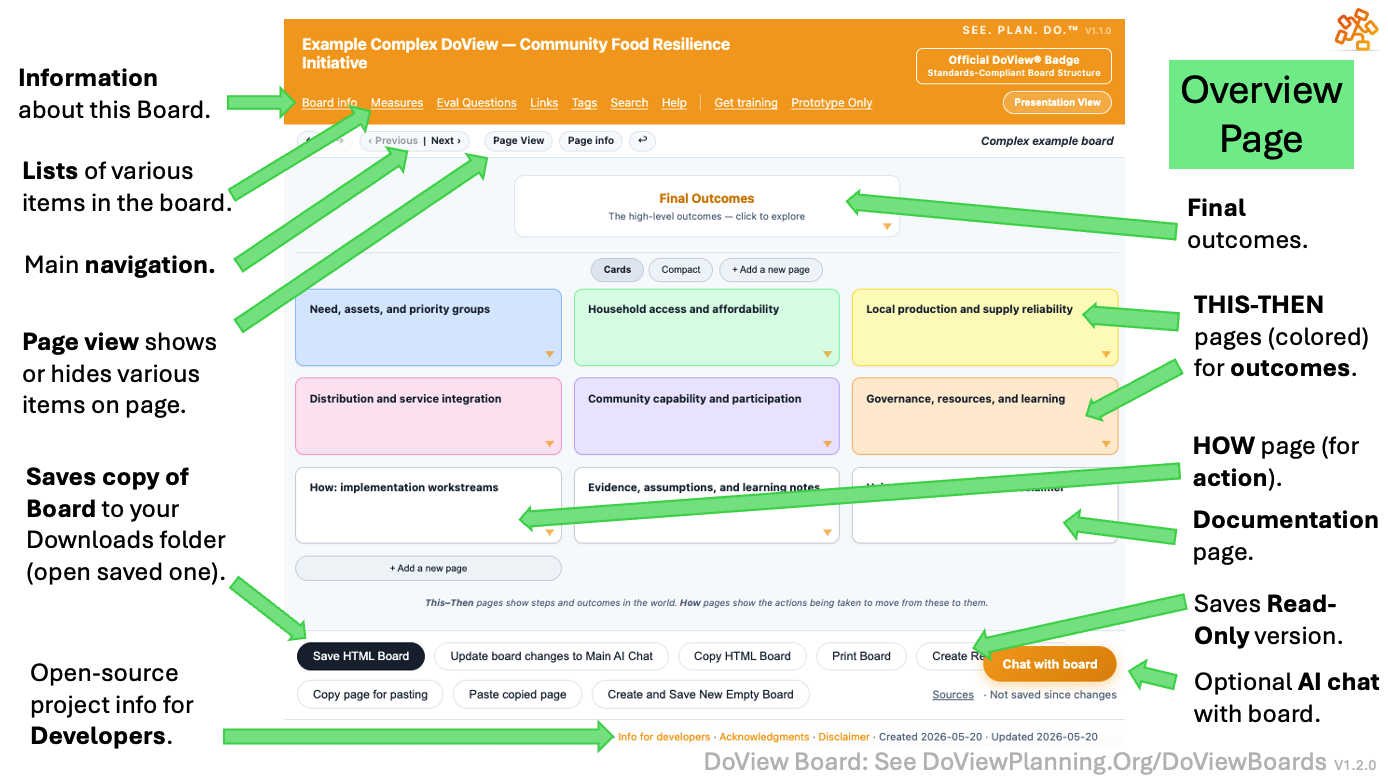
The Overview Page
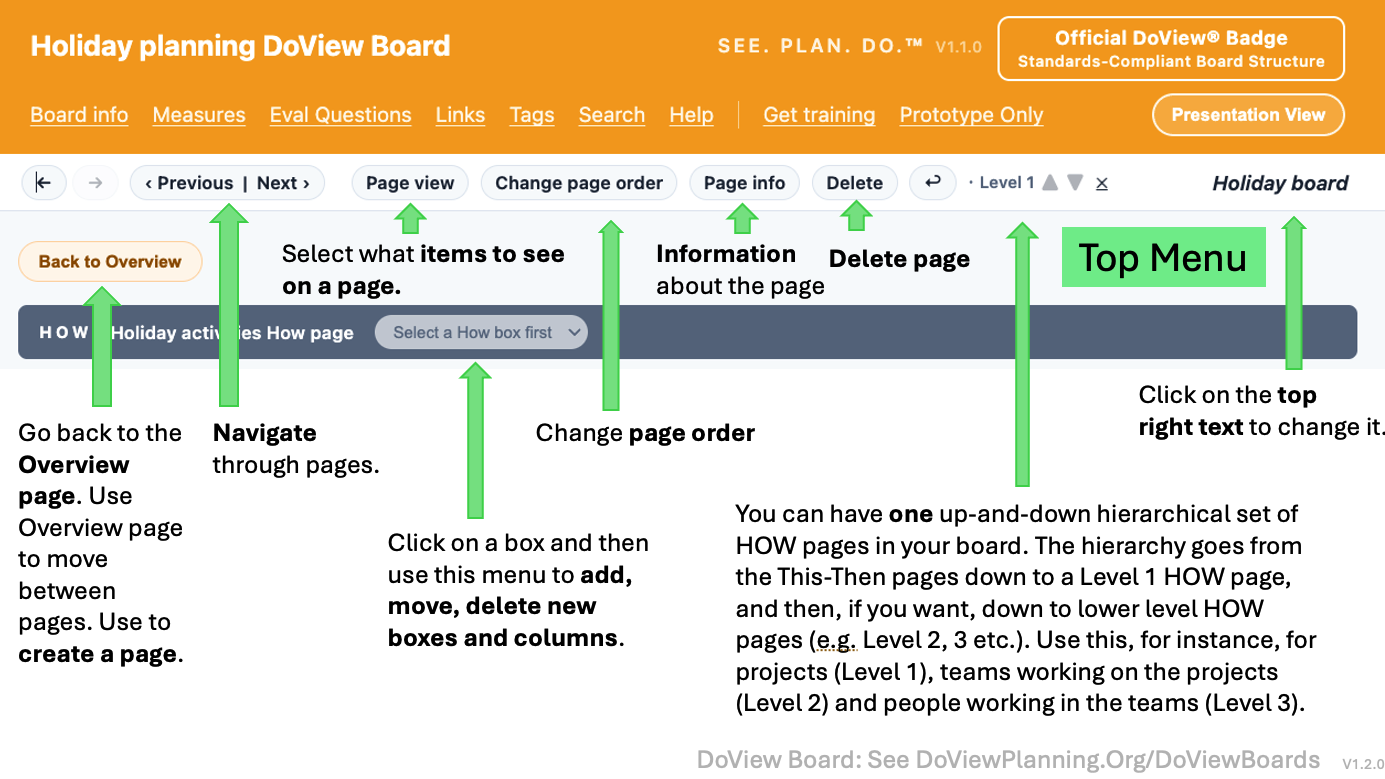
The Top Menu
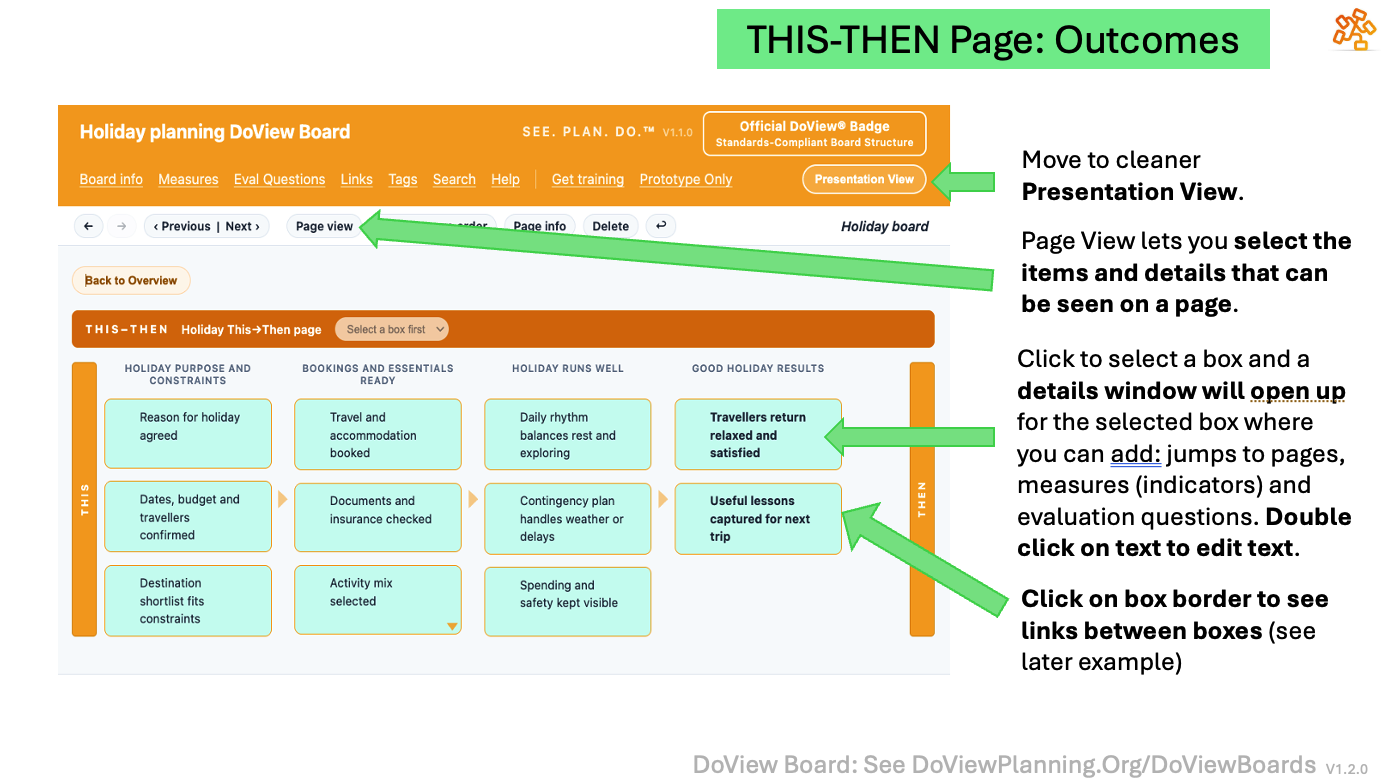
THIS-THEN Page: Outcomes and Steps to Them to be Changed in the World
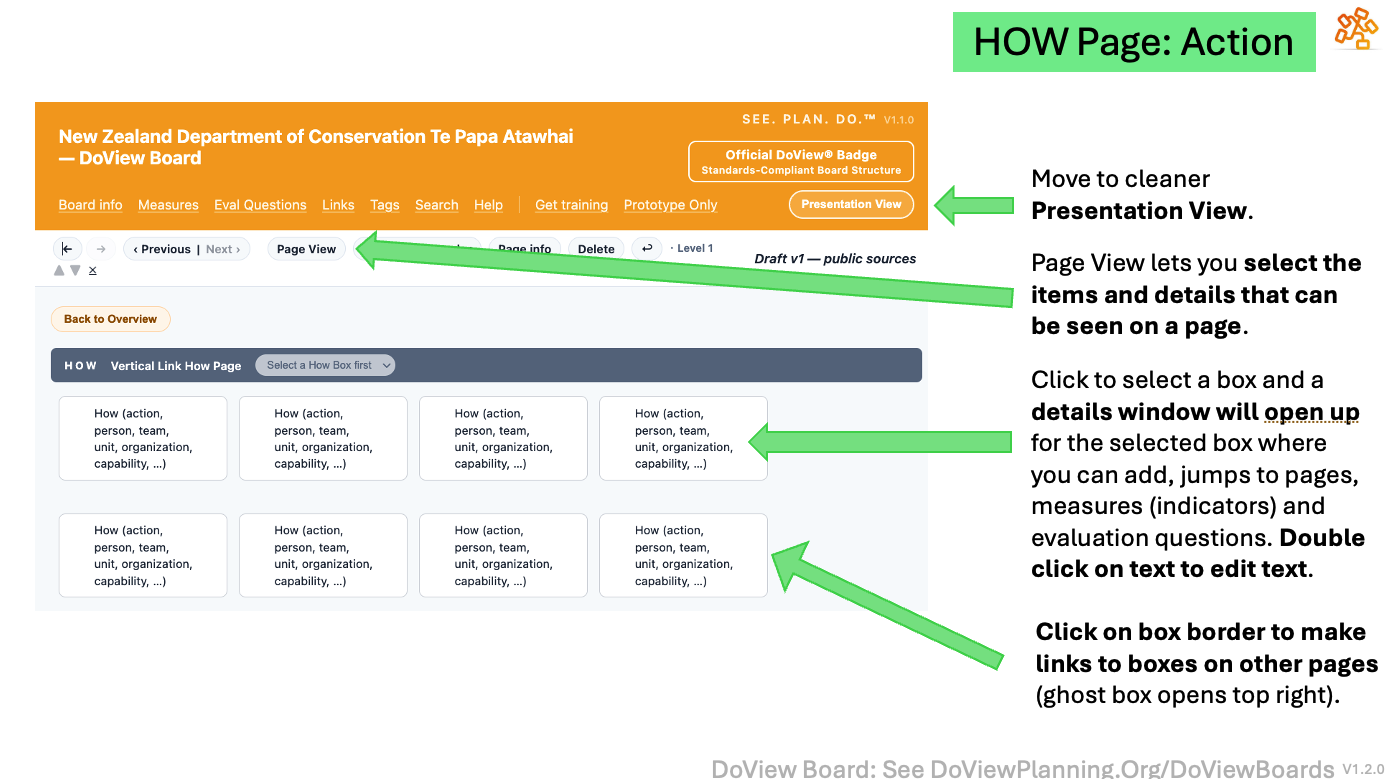
HOW Page: the Action Being Taken by the Organization or Initiative
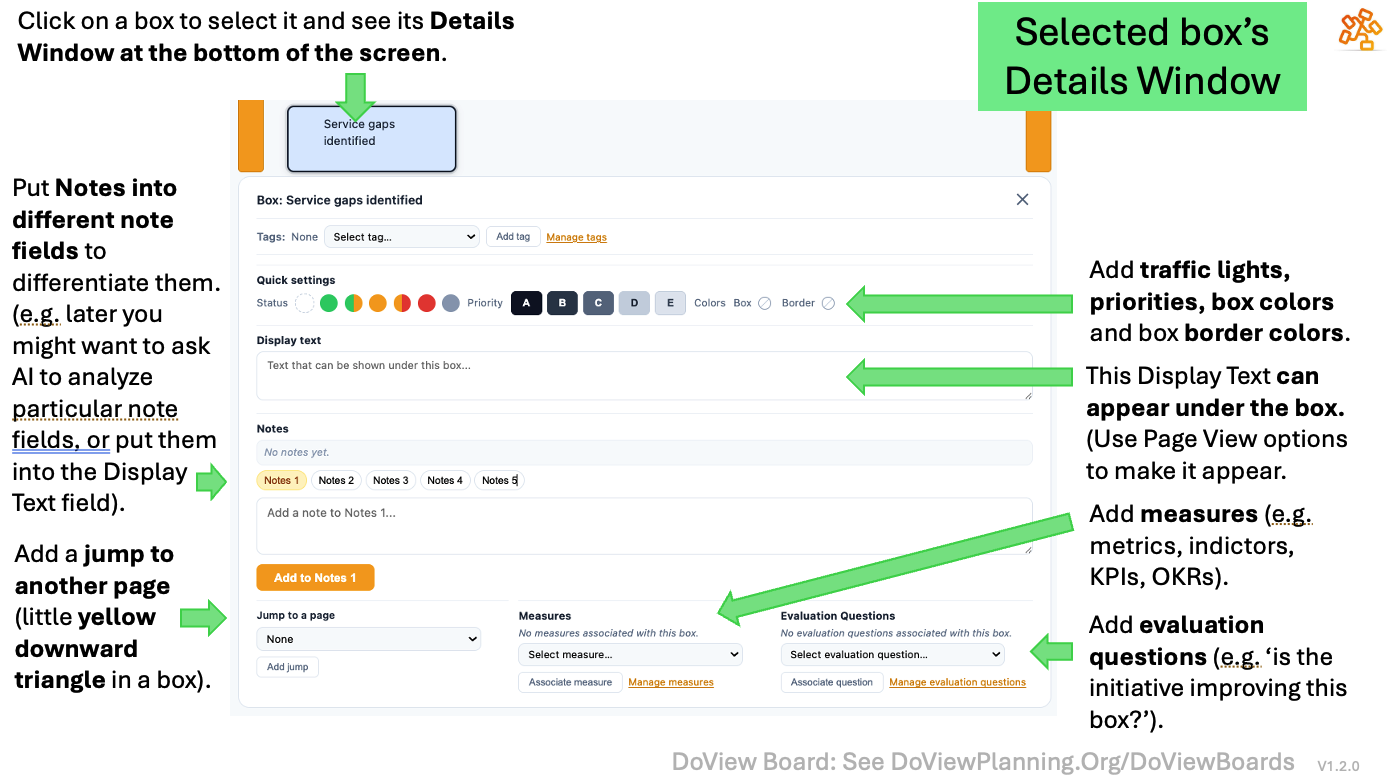
Click on a Box to Open its Details Window at the Bottom of the Screen
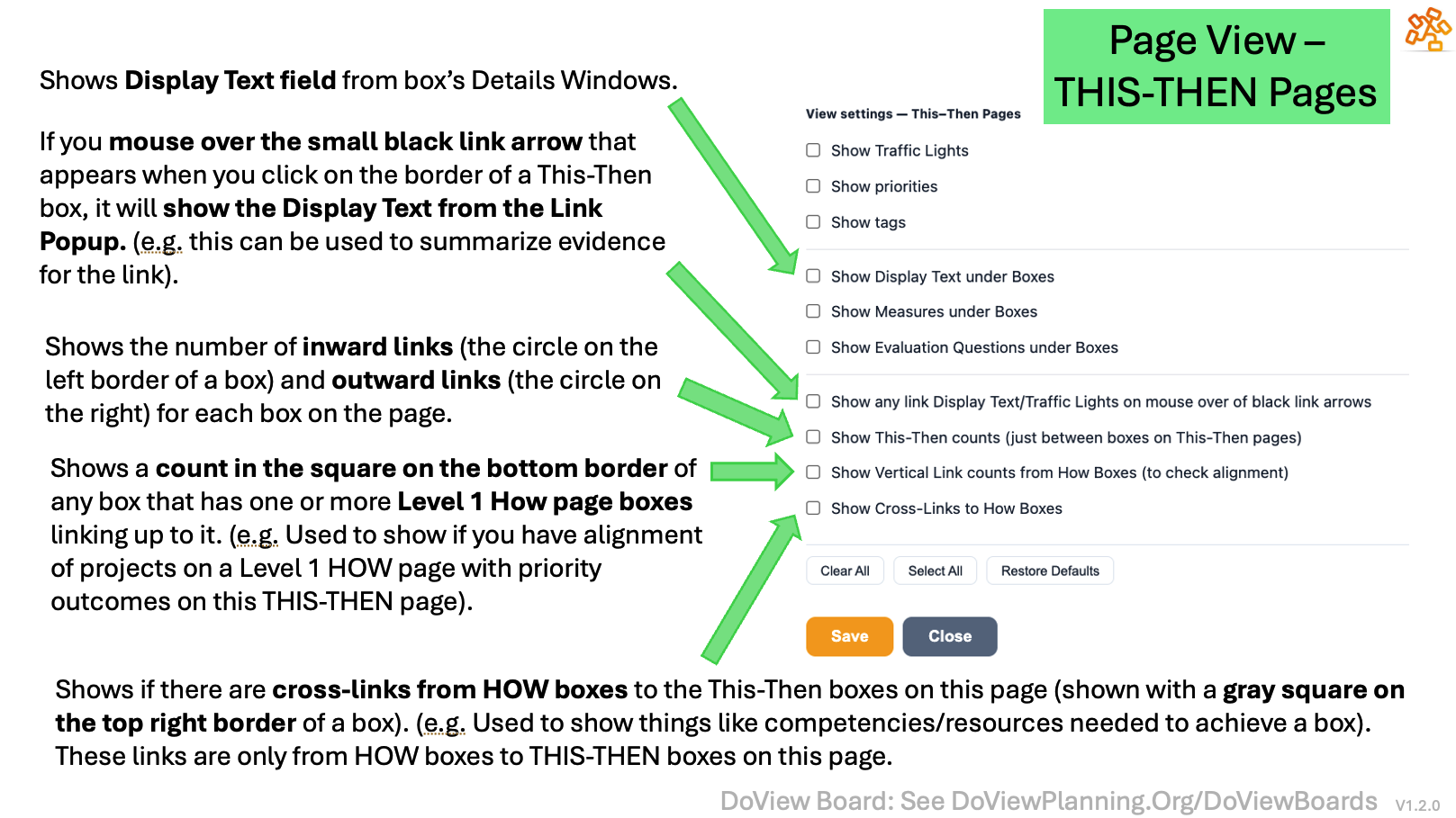
Page View: Use it to Select What You Want to See on a Page
A THIS-THEN Box on a THIS-THEN Page With All of the Page View Options Selected

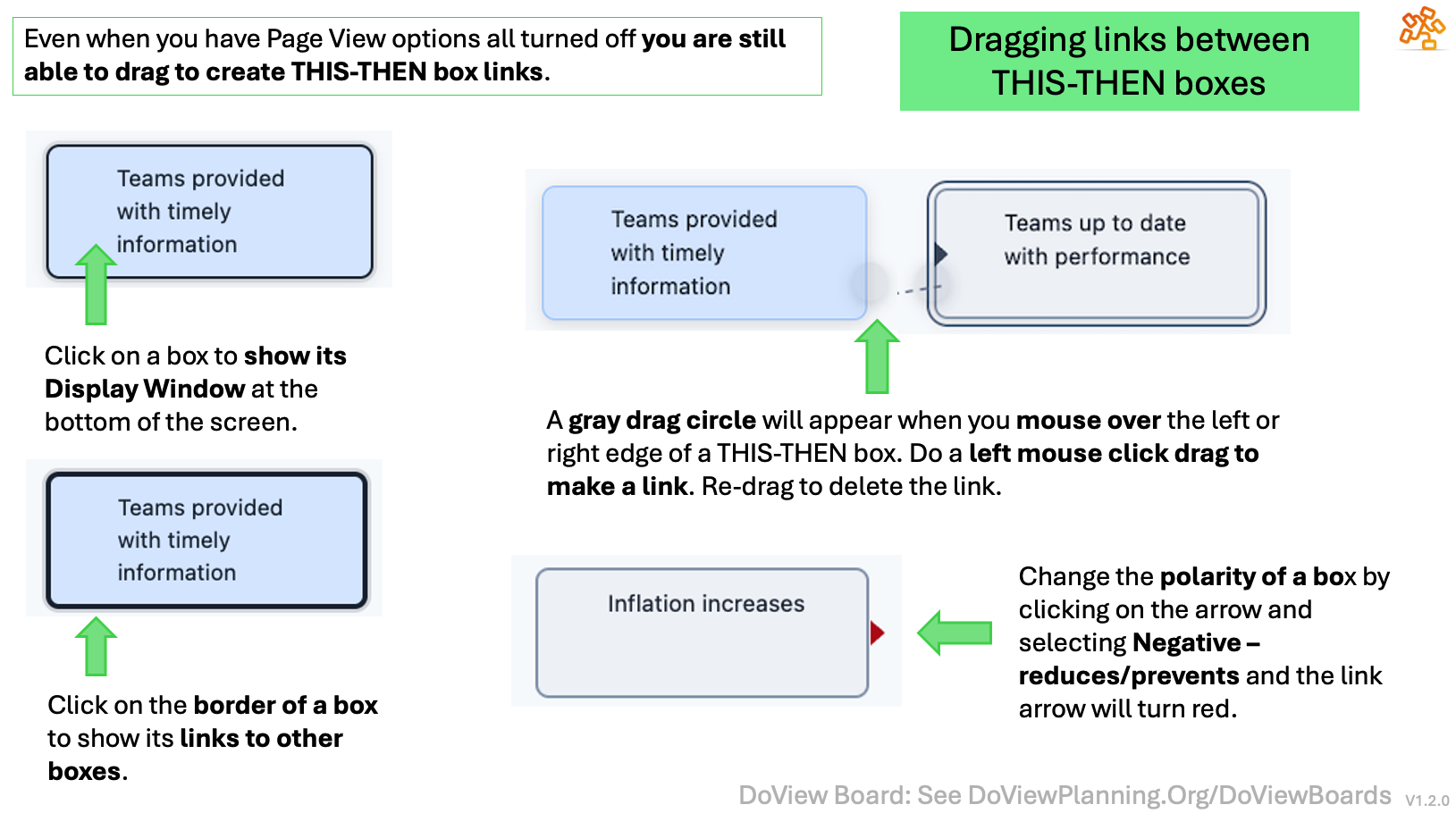
How to Drag Links Between THIS-THEN Boxes
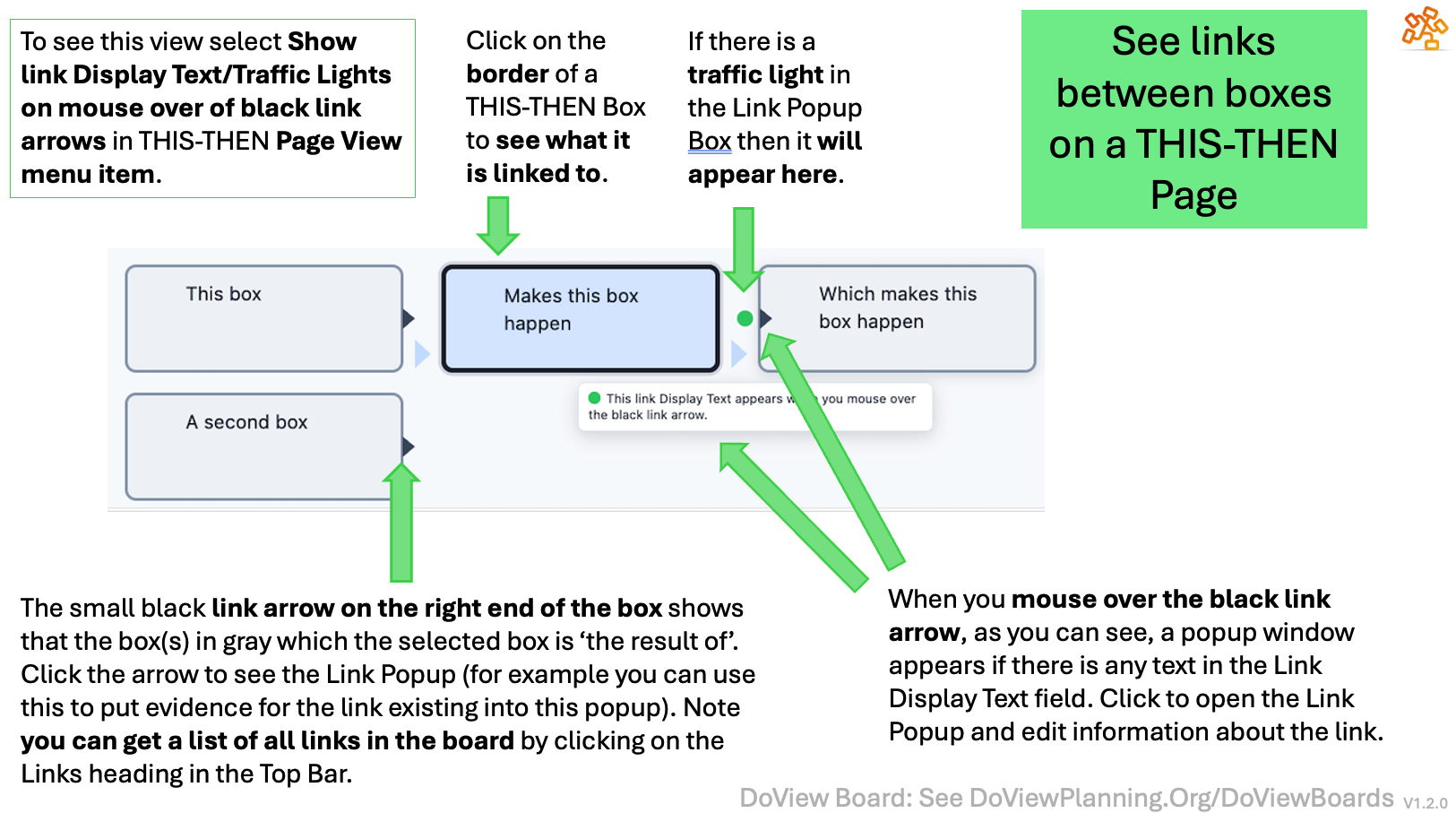
Seeing the Details of Links Between THIS-THEN Boxes on a THIS-THEN Page
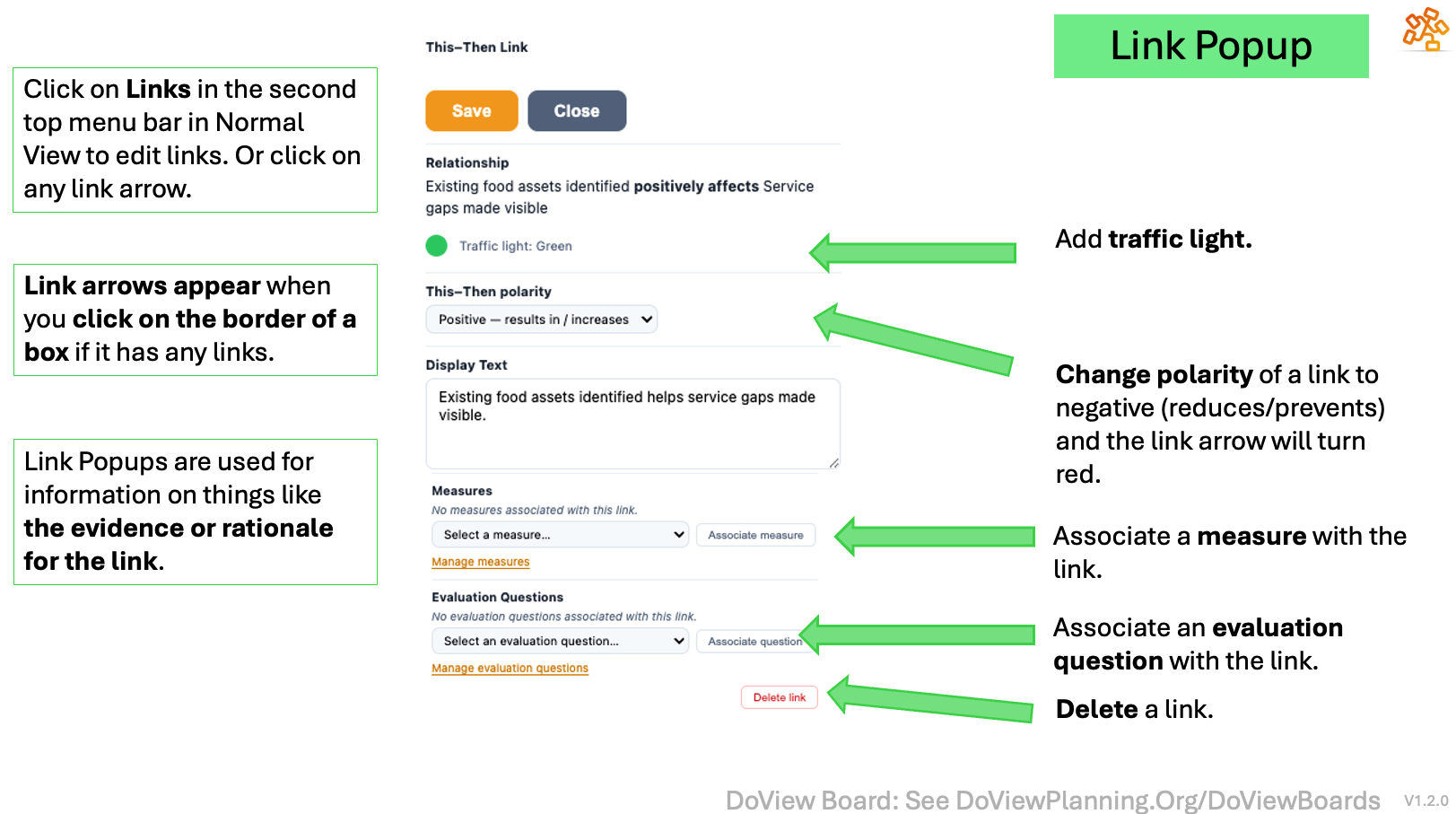
The Link Popup With Details About Links
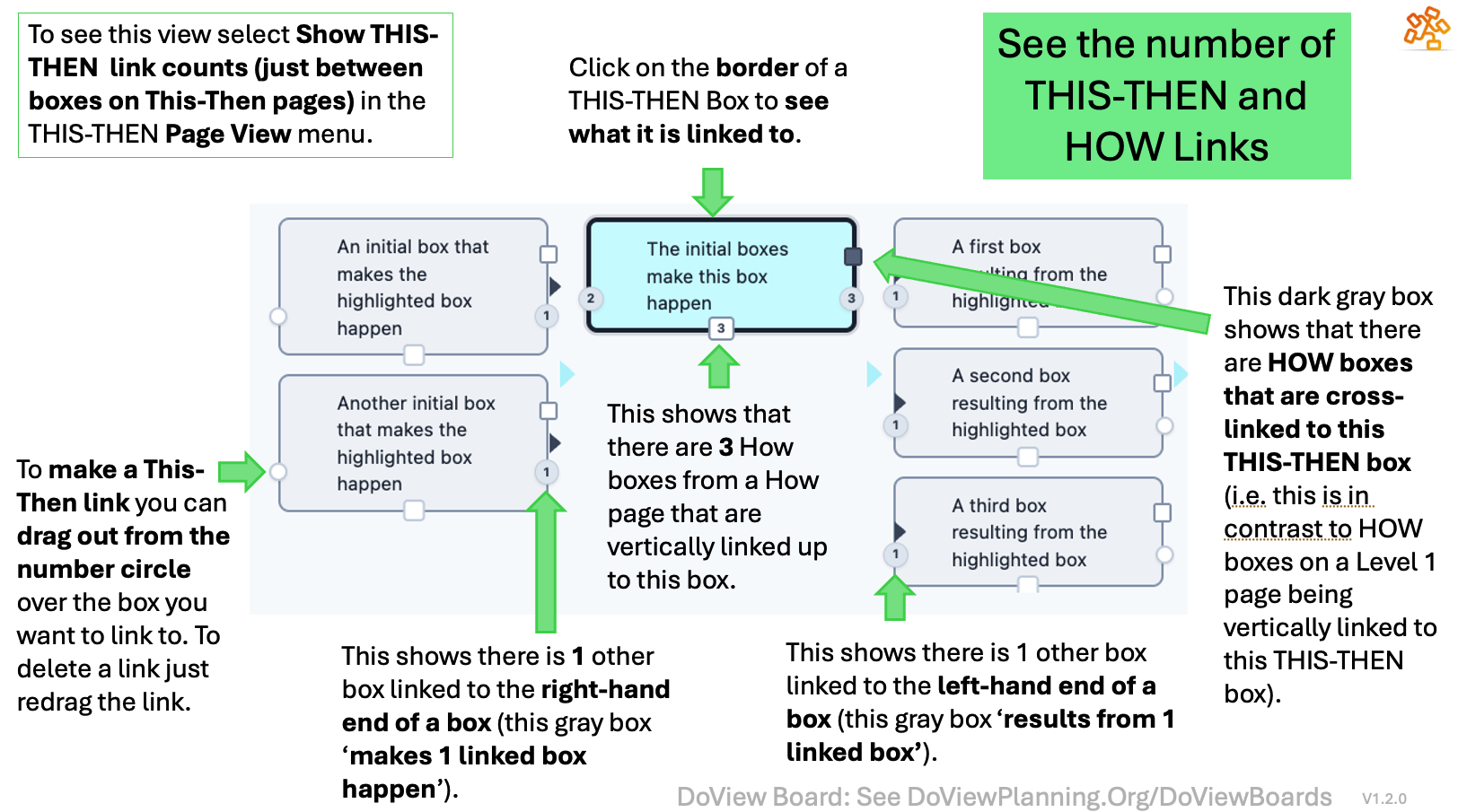
See the Number of Links Between THIS-THEN and HOW Boxes
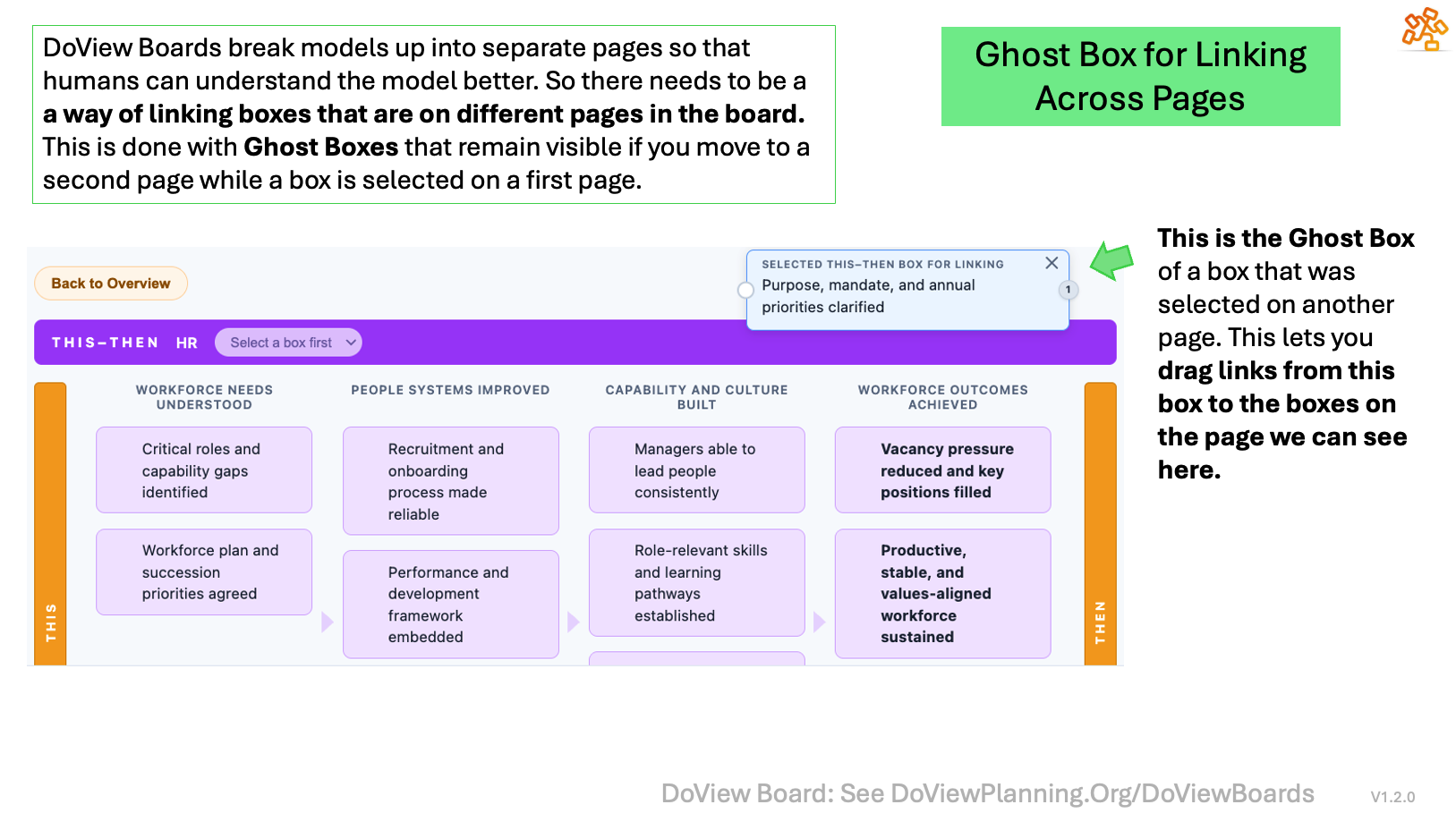
How You Use the Ghost Box to Drag Links Between Boxes on Different Pages
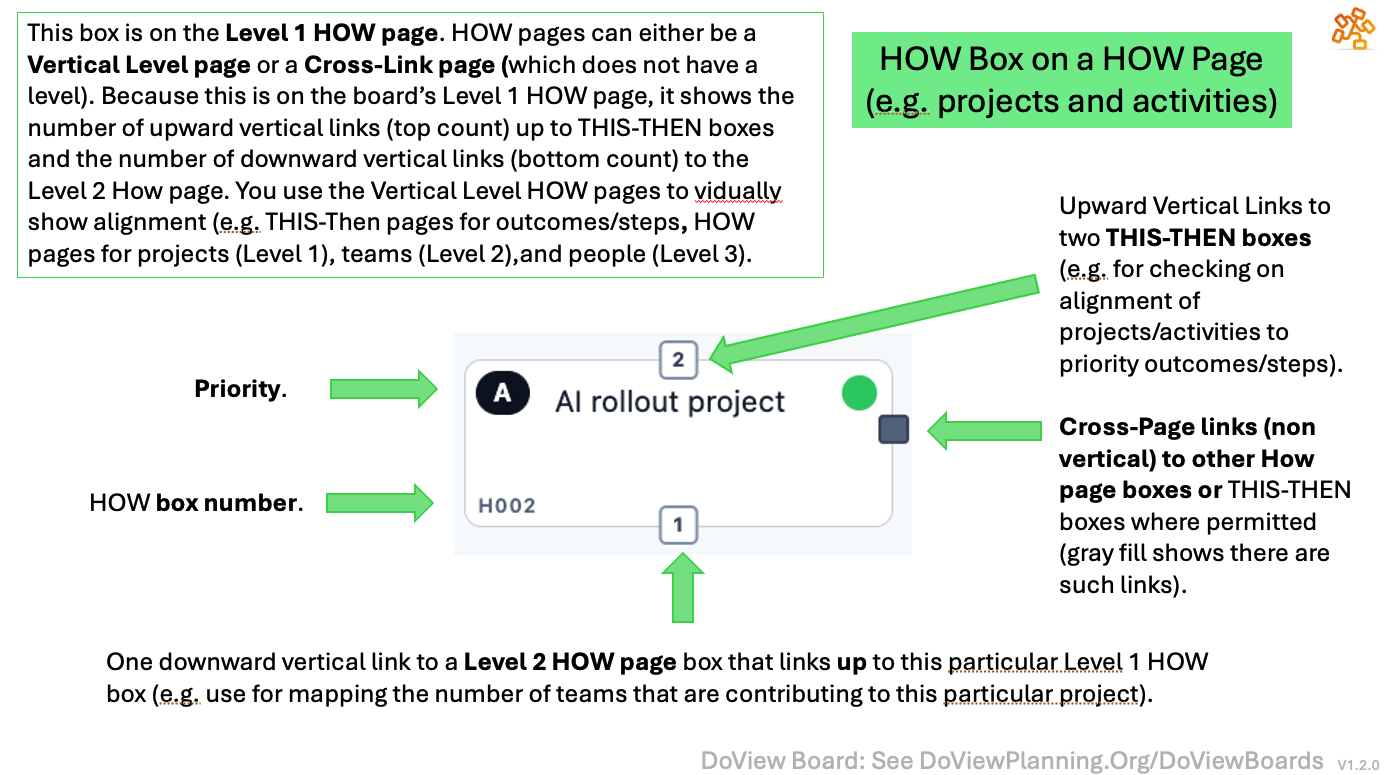
See the Number of Links Between HOW boxes and THIS-THEN and HOW Boxes
Measures and Evaluation Questions Popups

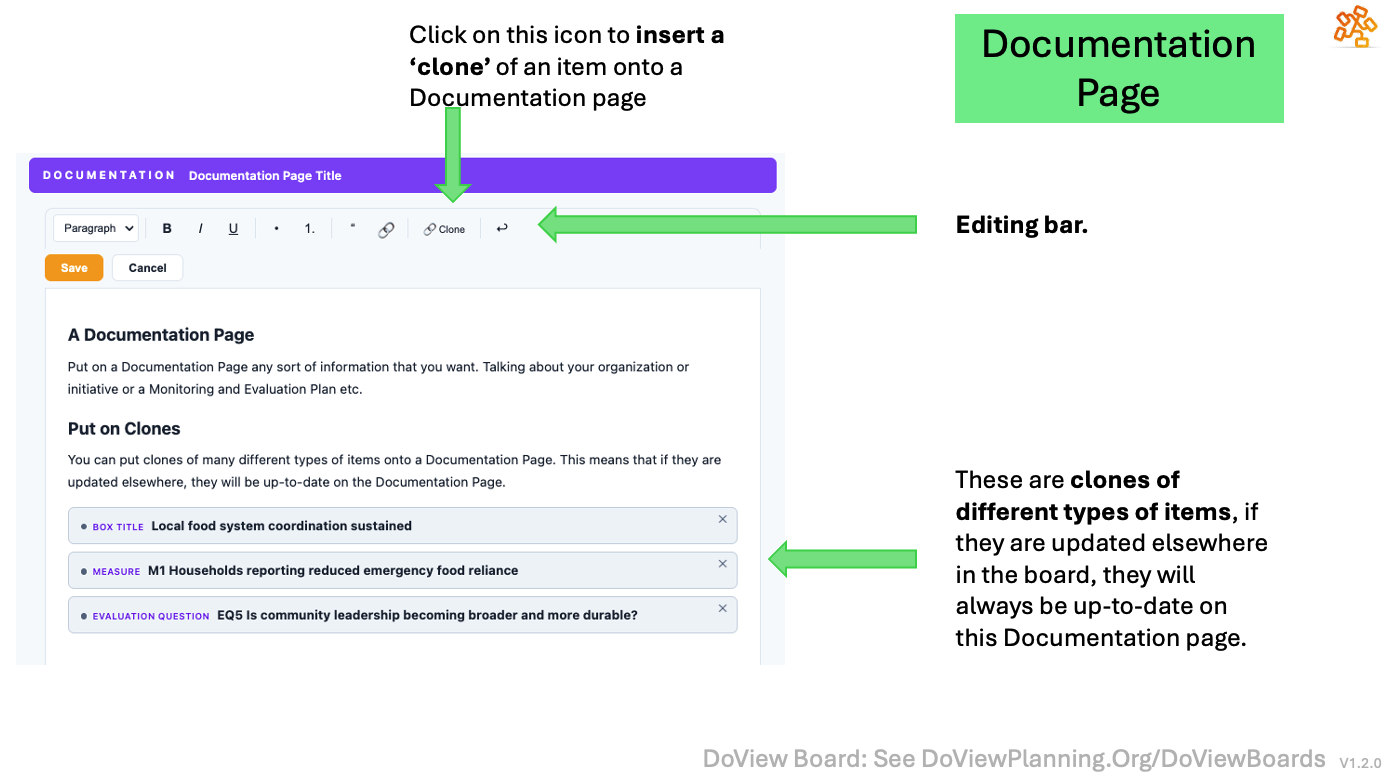
Documentation Page
Bottom Menu Bar
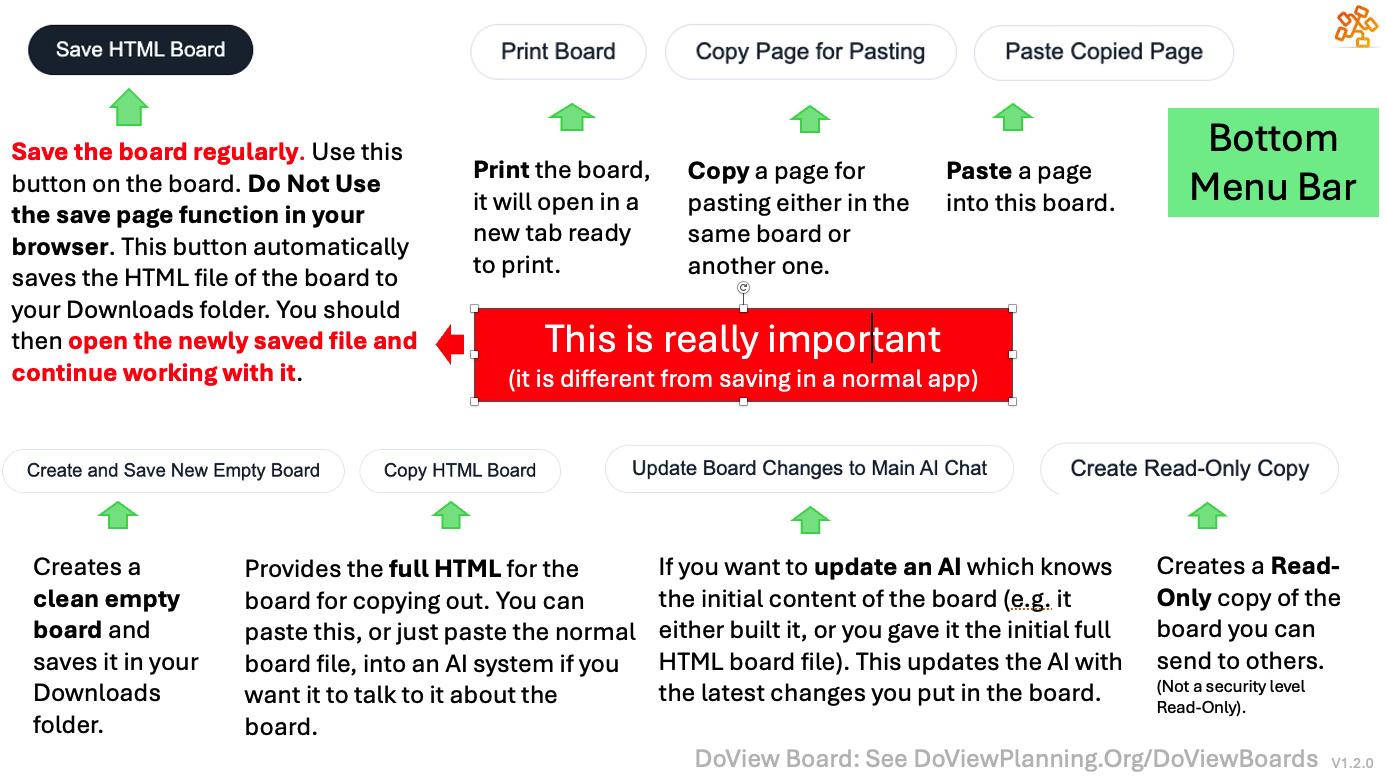
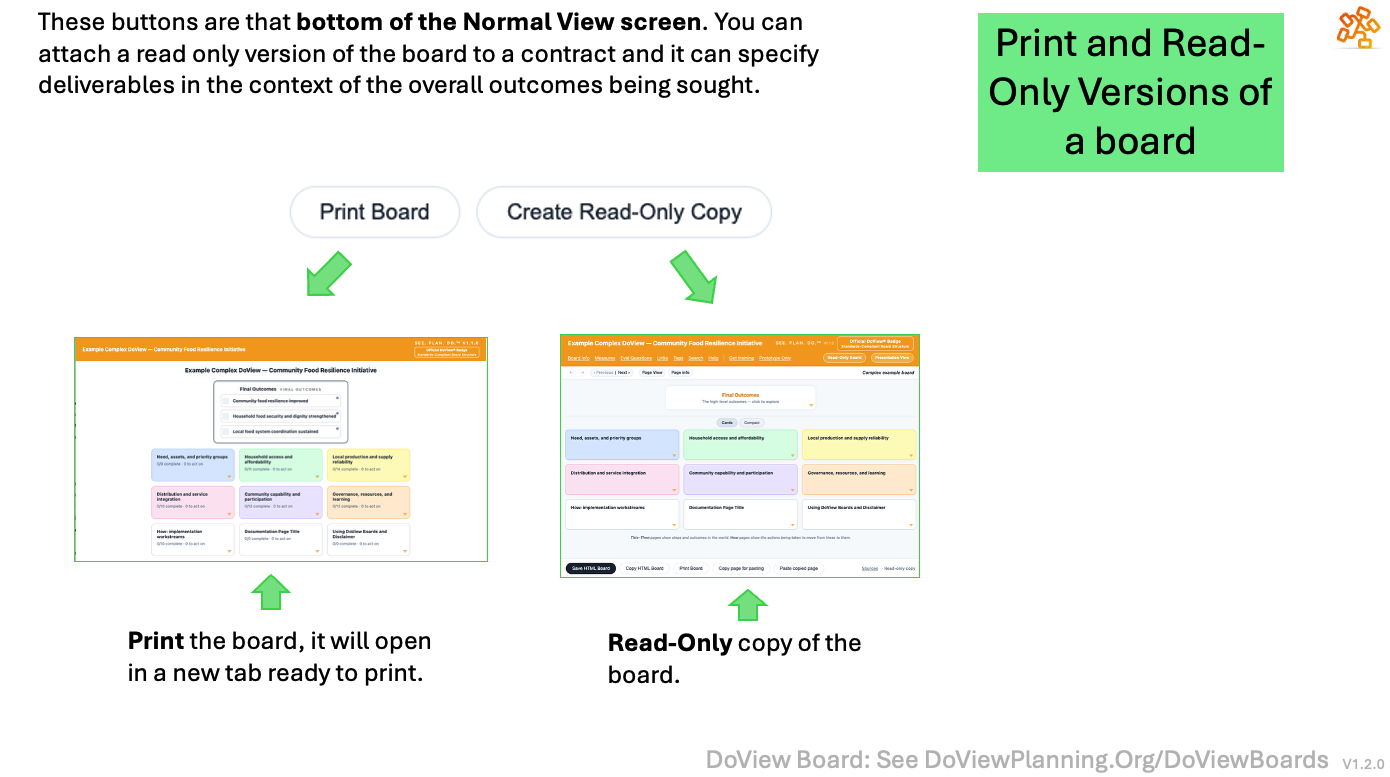
Print and Read-Only Versions of a Board
Chat With the Board
Click on links below to download prompts